In the world of Library and Information Science (LIS), two terms appear frequently—documentation and informationization. Although they may sound complex at first glance, both are rooted in a simple idea: organizing knowledge so that it is accessible, understandable, and usable for the right person at the right time.
Documentation refers to the systematic process of collecting, organizing, preserving, and disseminating documents in various formats. These documents may be printed, visual, audiovisual, or digital.
On the other hand, informationization—a term often associated with modern information management—goes beyond documentation.
According to Dr. S.R. Ranganathan, the father of library science, informationization is a precise, scientific technique for presenting delicate and complex subjects to users in a fast, complete, and effective manner. It integrates both the structure of information and the speed of technology.
Thus, in simple terms:
Informationization is the scientific process of transforming raw data or documents into meaningful, user-ready information for a specific purpose, at the right time, using efficient methods and systems.
This process includes:
- Ensuring accuracy
- Ensuring timely delivery
- Ensuring usability
- Linking users with relevant information resources
- Using modern tools such as databases, cataloging systems, metadata, digital repositories, and indexing tools
Within this broad process of documentation and informationization, documents are generally categorized into two major types:
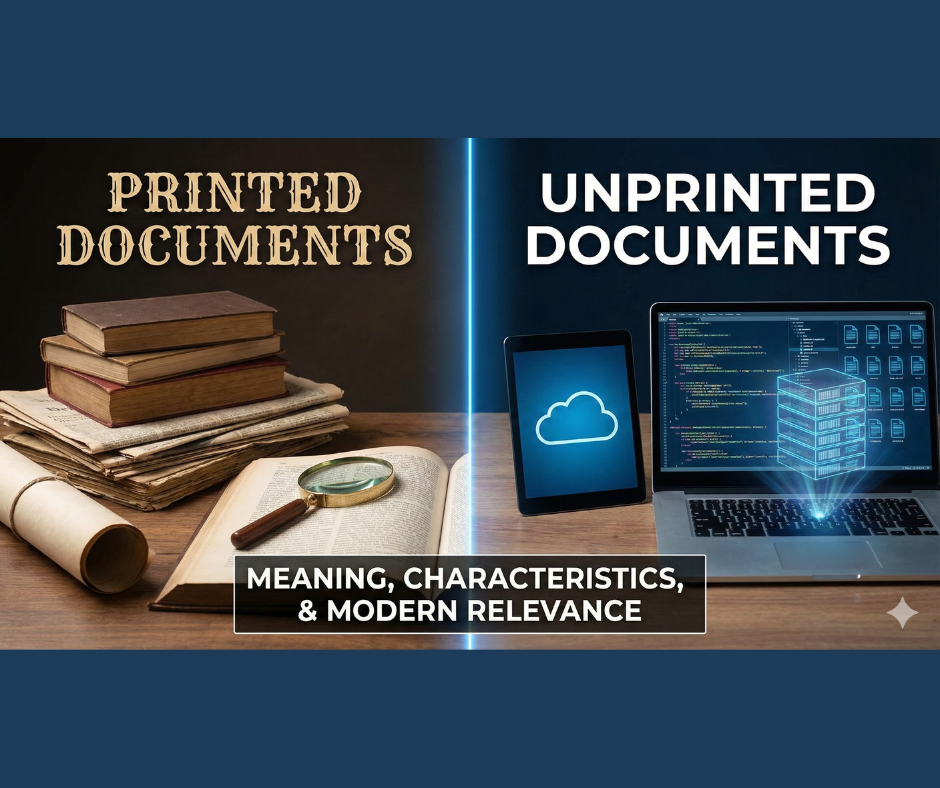
- Printed Documents
- Unprinted Documents
Both categories play vital roles in the information cycle, but they differ greatly in form, characteristics, storage methods, and use.
1. Printed Documents
Definition
Printed documents are materials produced through a printing process and published in a physical, printed form. These are stable, tangible, fixed in format, and cannot be easily altered once printed.
They represent the oldest and most traditional form of information transmission, dating back to the invention of the printing press by Gutenberg in the 15th century.
Characteristics of Printed Documents
- Permanent Physical Form
Printed documents exist as physical objects that can be touched, stored, and preserved for long periods. - Difficult to Modify
Once printed, content cannot be easily changed without reprinting the whole document, ensuring authenticity and reliability. - Wide Acceptability
Printed materials are trusted as authoritative sources in academic, legal, and research contexts. - Ease of Use
Anyone can use printed documents without needing digital devices or electricity. - Durability with Proper Preservation
Libraries use special conservation techniques to maintain printed documents for decades or even centuries. - Universal Standardization
Printed documents follow standard formats like ISBN, ISSN, page numbering, and publishing conventions.
Common Examples of Printed Documents
Below is a more modern and expanded list:
- Books (textbooks, reference books, monographs, anthologies)
- Journals, magazines, newsletters
- Newspapers
- Reports (official reports, government reports, research reports)
- Pamphlets, brochures, leaflets
- Bibliographies
- Abstracts and indexes
- Catalog cards (traditional card catalogs)
- Call number labels and classification schedules
- Theses and dissertations (bound copies)
- Conference proceedings
- Maps and atlases
- Manuscripts that are printed or reproduced
Printed Documents Used in Library Operations
These items help in the internal organization of libraries:
- Collection registers
- Accession registers
- Cataloging sheets
- Classification schedules
- Shelf lists
- Written call numbers
- Printed labels and spine tags
Even through digitization has replaced many printed forms, they still hold historical and administrative significance.
2. Unprinted Documents
Definition
Unprinted documents are materials that are not produced through traditional printing processes. They may exist in microform, electronic, digital, audiovisual, or fluid formats. These documents are often flexible, editable, and capable of storing large amounts of information in compact forms.
In modern LIS, unprinted documents include almost every digital and electronic resource available today.
Characteristics of Unprinted Documents
- Non-physical or semi-physical format
Many unprinted materials exist electronically, accessible through a device but not physically printed. - Easily Updatable and Editable
Digital documents can be modified, enhanced, or corrected instantly. - High Storage Efficiency
Microforms and digital files can hold thousands of pages in a very small space. - Fast Accessibility
Digital documents can be retrieved within seconds using search tools. - Interactivity
Some formats include hypertext links, embedded images, audio, and multimedia elements. - Dependence on Technology
Devices, software, and electricity are required to access unprinted documents. - Long-Term Digital Preservation Challenges
Formats may become obsolete with time, requiring migration or conversion.
Examples of Unprinted Documents
(Classical Formats)
These examples come from older technological eras but are still important historically:
- Microfilm
- Microfiche
- Micro-opaque
- Ultra fiche
- Aperture cards
- Microfilm cartridges
- Photocopies
- Punched cards
- Computer microfilm
These formats were revolutionary before the digital age and helped libraries store huge collections in limited spaces.
Modern and Updated Examples of Unprinted Documents (Digital Era)
To make the list modern and relevant, here are updated examples widely used today:
Digital Documents
- PDF files
- Word documents (DOC, DOCX)
- eBooks (EPUB, MOBI, AZW)
- HTML webpages
- Online articles, blogs, and digital newspapers
- Digital theses and dissertations
- Research databases (JSTOR, Scopus, PubMed)
Electronic Storage Media
- CD-ROM, DVD, Blu-ray
- Floppy disks (obsolete but historically significant)
- USB flash drives
- External hard drives
- SD cards
Multimedia and Audiovisual Formats
- Audio files (MP3, WAV, AAC)
- Videos (MP4, AVI, MKV)
- Podcasts
- Audiobooks
Online and Cloud-Based Documents
- Google Docs, Sheets, Slides
- Online repositories (DSpace, EPrints, Zenodo)
- Institutional digital libraries
- Cloud archives (Google Drive, Dropbox, OneDrive)
Interactive and Machine-Readable Documents
- Database records
- Metadata schemas (MARC21, Dublin Core)
- XML, JSON files
- Machine-readable catalog (OPAC)
- Digital catalogs and indexes
Emerging Formats
- Digital twins and 3D models
- Virtual reality (VR) and augmented reality (AR) educational content
- Blockchain-based documents
- AI-generated knowledge bases
Printed vs. Unprinted Documents: Key Differences
| Aspect | Printed Documents | Unprinted Documents |
| Format | Physical, tangible | Digital, electronic, microform, audiovisual |
| Modifiability | Difficult to change | Easily editable |
| Access | No devices required | Devices/software required |
| Storage | Requires physical space | Highly compact, digital storage |
| Durability | Long-lasting with care | Risk of format obsolescence |
| Searchability | Manual browsing | Instant digital search |
| Interactivity | Static | Often multimedia and dynamic |
Why Understanding These Types Matters Today
In modern information science, understanding the distinction between printed and unprinted documents is essential because:
- Libraries are transitioning into hybrid and digital libraries.
- Information professionals must manage both physical and digital collections.
- Digital preservation and metadata management depend on document type.
- Users increasingly prefer electronic formats, but printed materials remain authoritative and essential.
- Future information systems rely on integrating both print and digital resources.
Conclusion
Printed and unprinted documents together represent the full spectrum of human knowledge—from ancient manuscripts to cutting-edge digital databases. While printed documents provide authenticity, stability, and historical value, unprinted documents offer speed, flexibility, compactness, and global accessibility.
In the era of informationization, professionals must skillfully manage both forms to ensure that the right information reaches the right user, at the right time, using the right method—exactly as Ranganathan envisioned.