The Online Public Access Catalog (OPAC) is a key advancement in library services, replacing traditional card catalogs with electronic search capabilities. Users can quickly find books, journals, and digital resources through various access points, such as author and title. OPAC systems have evolved from basic text searches to interactive, user-friendly platforms. They now support not only bibliographic information but also circulation functions and advanced search techniques, making them crucial for modern library management.
Generations of OPAC Systems
First Generation of OPAC Systems (late 1970s to early 1980s) :
The first generation OPACs were specifically and accurately searched by typing in the author and title. There was no way to ‘browse’ the catalog. If there was an error in the search term, the results would show that the item was not in the library’s collection. The user interface of the first generation was text-based and did not allow the use of icons or graphical tools, making searching and retrieving information in this generation of OPACs time-consuming and tedious.
2. Second Generation of OPAC Systems (mid-1980s to late 1980s) :
In addition to the title and author’s name, the second generation OPACs could also be searched using fields such as publisher, subject title, etc. In addition, it was possible to make the search work more effective by using Boolean operators. To find the desired information, it was not necessary to match the author or title exactly. These OPACs had an interface with the circulation system. As a result, library members could know where any copy of a book was. They could also reserve materials using the “hold” or reserve facility. The user interface was mainly of two types – menu-based and command-based. That is, users could search by selecting options from the menu or by typing on the keyboard. As a result, an effective interaction between the user and the OPAC was possible.
3. Third Generation of OPAC Systems (1990s)
In this generation, an attempt was made to make the work of the OPAC easier for the searcher. For this reason, they were user-friendly. The third generation OPAC had the facility of free text search, so that searches could be conducted using any field of choice. Full-text indexes, databases and e-journals could also be searched through the interface of these OPACs. The third generation OPAC had the facility of using various types of access points (such as the title of the chapter included in the book). Again, partial match techniques were used instead of Boolean operators in some OPACs of this generation. As a result, content that partially matched the searched term and search results were displayed. This generation of OPACs had the facility of context-based automatic assistance. In addition, there were special mechanisms to make the search effective. As a result, the results most similar to the searched term were displayed first.
4. Fourth Generation of OPAC Systems (2000 to present) :
This generation of OPACs provides efficient access to bibliographic records using a graphical user interface. They operate on a client-server model. They attempt to make searches meaningful by using windows, icons, menus, and pointers. The use of scroll bars and pull-down menus makes it easier to search across different indexes. In addition, the search pane can be ‘filtered’ and organized by criteria such as year, language, publication type, place of publication, etc. Modern OPACs have a hypertext function. When the user highlights or selects a word, it can be used to search all the fields and subfields included in the database.
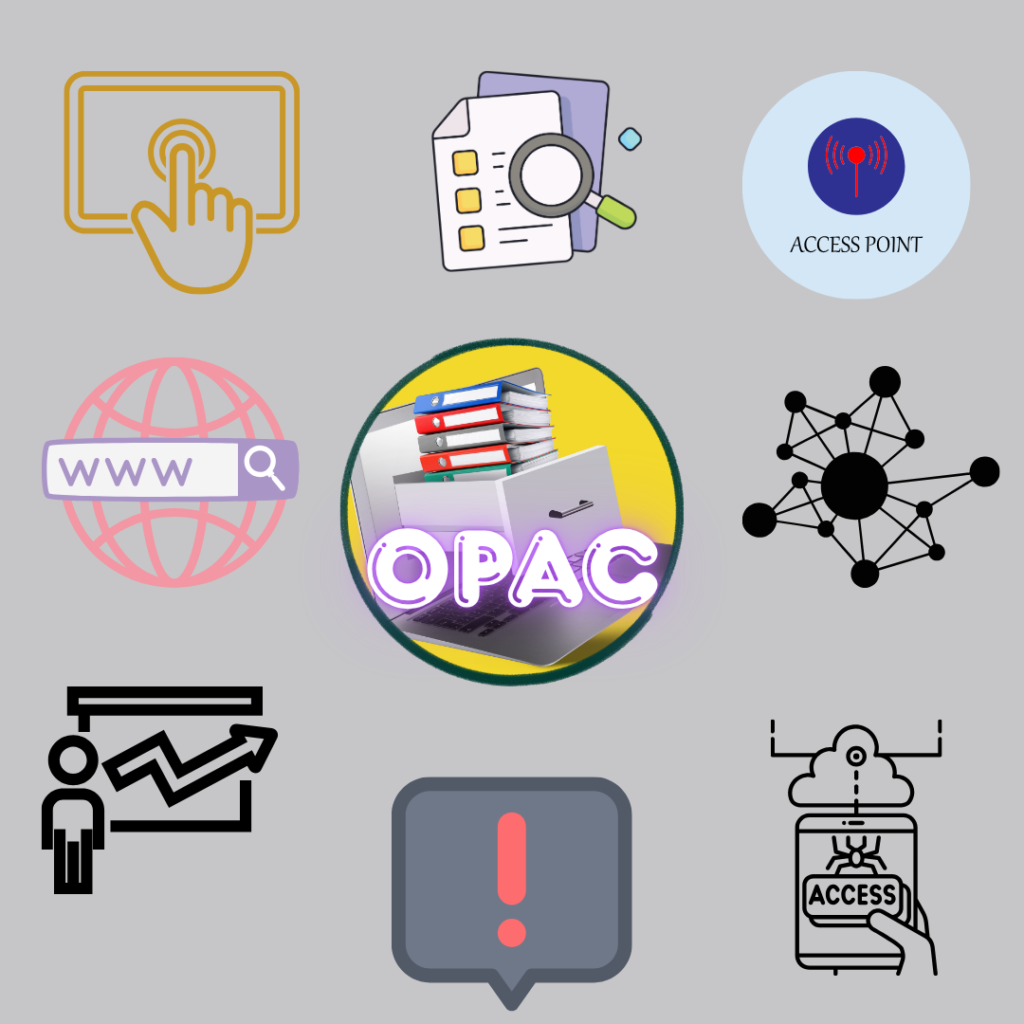
Main features of modern OPAC:
1. Interactive interface: Various types of bibliographic records can be searched, retrieved and displayed using the interface of modern OPAC. The user can easily interact with the system. The search process can be modified in various ways to get the desired results.
2. Types and methods of search: Modern OPAC has the facilities of Boolean logic, truncation, word proximity and phrase searching. By using Boolean operators, the search can be made more effective by combining 2 or more terms from the title index, author index and subject index in the same search.
3. Access Points: Compared to traditional catalogs, OPAC helps the reader to search for the desired content through such opening techniques that traditional catalogs cannot. Modern OPAC searches the catalog using many access points, among which the most notable are author, subject, title, postal code, ISBN, series, keywords, etc.
4. Browse Searching: In this type of search, a chronological list of index terms is displayed and the desired index term is selected from the search index and the search is run through each one. This is an effective technique for searchers who do not have a good understanding and skills in using search techniques.
5. Display of search results in different ways: Modern OPAC allows the search results to be presented in different ways. It is also possible to print and save the search results and send them to someone via email. Again, the search results can be displayed in detailed or concise (under some specified fields like author and title) as per the user’s requirement.
6. Search Limit: Using this facility, the search scope can be narrowed down based on the year of publication, documentary type, language, location, etc. When too many results are retrieved, the user can then use the above-mentioned technique to limit the scope of the search results. And in this way, he can get only the required information based on a specific language, specific type of material or a specific time period.
7. Reader Support in Online Public Access Catalogs (OPACs): Most modern OPACs offer various instructions to assist users. Some OPACs include built-in help messages and procedural information that users can search for, enhancing their ability to find information effectively. For instance, they may provide step-by-step instructions and video tutorials on how to search for digital content efficiently. Additionally, some OPACs allow users to submit suggestions or complaints through online email forms.
8. Material Status, Reserves, and Other Facilities: Modern and OPAK provide information about the location and condition of various copies of a material. For example, a search will reveal how many copies are available in the library, how many are currently on loan, and how many are lost. Additionally, OPAK can be used to reserve materials that are in a queue.
8. Material status, reserves and other facilities: Modern OPACs can tell where and in what condition different copies of an item are. For example, search results tell you how many copies are in the library, how many are on loan and how many are lost. OPACs can also be used to reserve items that are in the queue.
9. Connectivity with Circulation Facilities: Modern OPACs can be interconnected with the library’s circulation module to perform tasks such as renewal of items, checking fines, etc. as well as interlibrary loan.
10. Remote Access: Modern OPACs can be accessed from terminals located at various locations. This can be done using both local area networks and wide area networks. This allows a large number of users to search for the same content at the same time.
11. External links: Some OPACs have the facility to access and read electronic journals or books through hypertext links. It is possible to search multiple OPACs using the Z39.50 standard. Z39.50 is a standard for searching and retrieving information in a client-server environment.
12. Contextual Information: Most OPACs display relevant information about the library and library software. Along with information about the library’s collection, services, and other relevant topics, instructions for logging in and out are provided.
The evolution of OPAC from its inception to the current generation highlights the rapid advancement of library technology. Early OPACs had limited search capabilities, while modern systems offer sophisticated interfaces, remote access, and seamless integration with digital resources. Today’s OPACs enhance user satisfaction and support library objectives by providing flexible access and interactive assistance. As libraries embrace new technologies, OPACs are becoming ever more intelligent and user-centered in the digital age.